Active — active.html
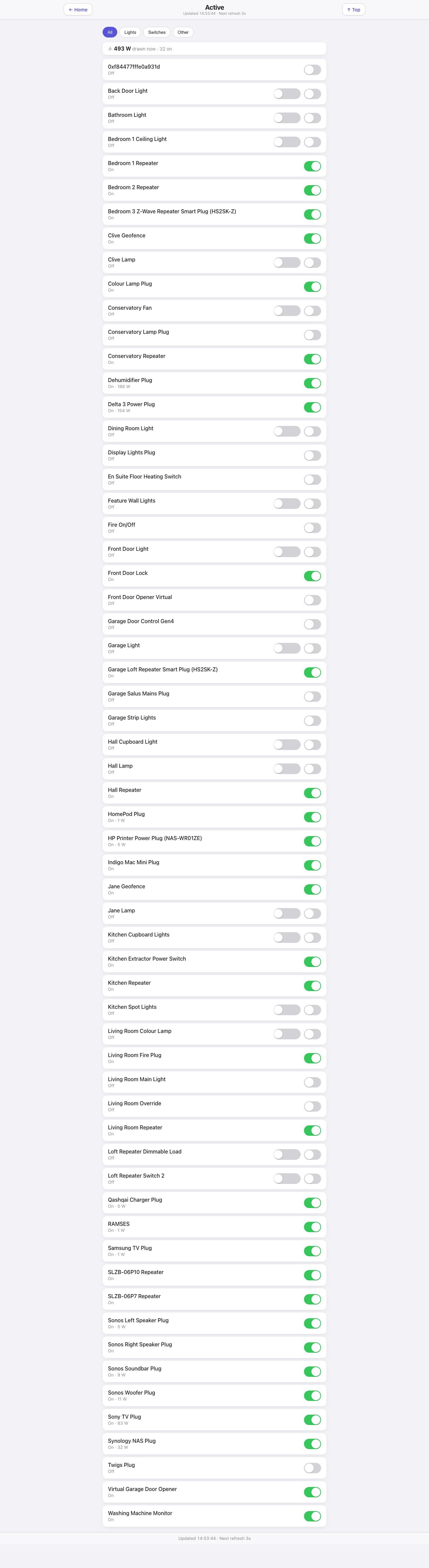
A flat alphabetical list of everything that can be switched, with a working control on every row. When you want to turn something off and cannot remember which room it counts as, this is the page.
Down the page
Header. Title, last update, refresh countdown, and a “Top” button.
Filter pills. All, Lights, Switches, Other.
Power strip. Total watts being drawn right now across the devices that report it, and how many are on.
The list. One row per device: the name, a status line (“On”, “Off”, or “On · 5 W” where the device measures its own draw), and the control on the right. A dimmable device gets a dimmer and an on/off. A plain relay gets one switch.
Where the data comes from
Indigo’s /v2/api through the shared delta cache, with the plugin’s changedSince endpoint keeping the traffic down to devices that have actually moved. Which control a device gets is decided by its capability (supportsOnState), never by its name — a guard shaped like a device name silently disarms itself the day the device is renamed.
Refresh
Every 3 s.
What you can do here
Toggle or dim anything in the list. A toggle is confirmed from the device, not assumed: a device whose communication is disabled, or whose plugin has stopped, swallows a command without an error, so the page checks back a few seconds later and reverts the switch with a warning if the device disagrees. Controls honour the PIN where the device is on the protected list, and a guest-paired browser sees the page read-only.
Worth knowing
- The wattage in the strip only counts devices that report power. It is a floor, not a house-wide figure — the whole-house number is on the Energy page.
- Some rows are things you would not want to toggle. A freezer’s monitoring plug is a relay too, and switching it off is a bad afternoon. Put such devices on the PIN list, or hide them from the room pages with the room extras.