Wi-Fi — wifi.html
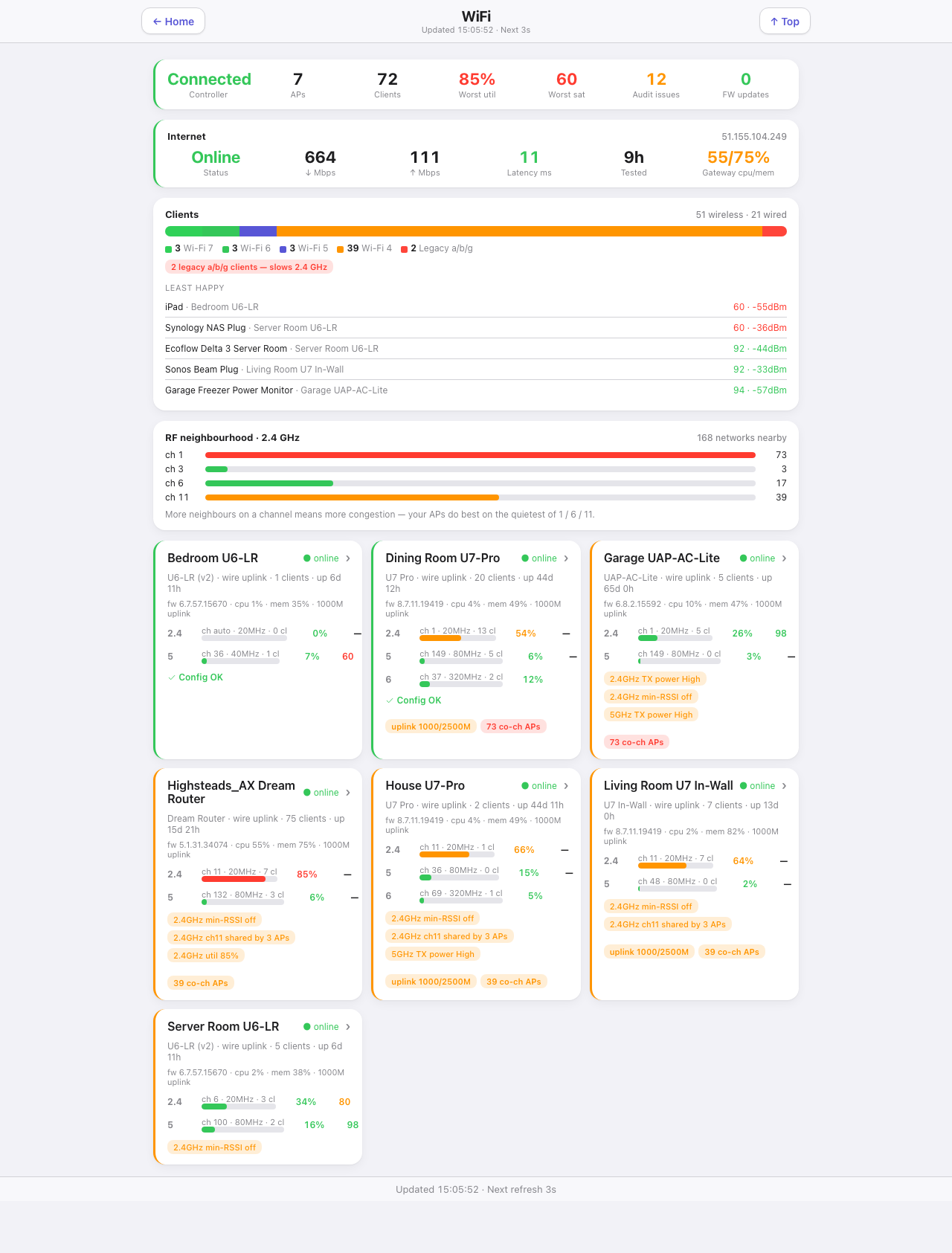
Every access point, every client, and the two things that actually degrade a home network: channel congestion and one old client dragging a band down. Needs the UniFiHealth plugin (v0.2.0 or later). Nothing here talks to the controller directly.
Down the page
Summary strip. Controller state, AP count, client count, worst utilisation, worst satisfaction, open audit issues, and firmware updates pending. Each figure is coloured by severity, so a red utilisation is visible before you read the label.
Internet. WAN status, the last speed test down and up, latency, how long ago it was tested, the gateway’s CPU and memory, and the public address.
Clients. Wireless and wired counts, then a stacked bar of the Wi-Fi generation mix — 7, 6, 5, 4 and legacy — with a warning pill when a legacy client is present, because one a/b/g client slows the whole 2.4 GHz band. Below that, “least happy”: the five clients with the worst satisfaction, each with the AP it is on, its score and its signal.
RF neighbourhood, 2.4 GHz. How many networks are visible on each channel, with the total nearby count, and what to do with it: the APs do best on the quietest of 1, 6 and 11.
AP cards. One per access point. Each gives the model, uplink type, client count and uptime, firmware version, CPU, memory and uplink speed. Then a row per band with channel, width, client count, utilisation and transmit power. Underneath, amber pills for every audit finding and a red pill for co-channel neighbour counts. A chevron opens the AP’s own page. An AP whose controller has gone unreachable is marked stale with its last-update time, rather than presenting a stopped clock as “online”.
Where the data comes from
Indigo devices published by the UniFiHealth plugin, read through /v2/api. The plugin does the polling, the audit and the neighbour counts. This page renders its device states.
Refresh
Every second.
What you can do here
Open any AP’s detail page. Read-only otherwise — configuration changes belong in the UniFi controller.
Worth knowing
- The audit pills are opinions, not faults. “min-RSSI off” is a setting UniFi ships off by default. The plugin flags it because turning it on is usually right in a multi-AP house.
- Co-channel counts are neighbours, not your own kit. Dozens of networks on channel 6 is why the 2.4 GHz utilisation numbers look the way they do.
- Utilisation is the number that predicts complaints. A congested band stays congested however good the signal is, and moving one stubborn device to 5 GHz usually helps more than moving the AP.
- An AP going offline briefly during a firmware upgrade is normal. The plugin debounces it with a configurable grace period.