Wi-Fi AP — wifi-ap.html?id=N
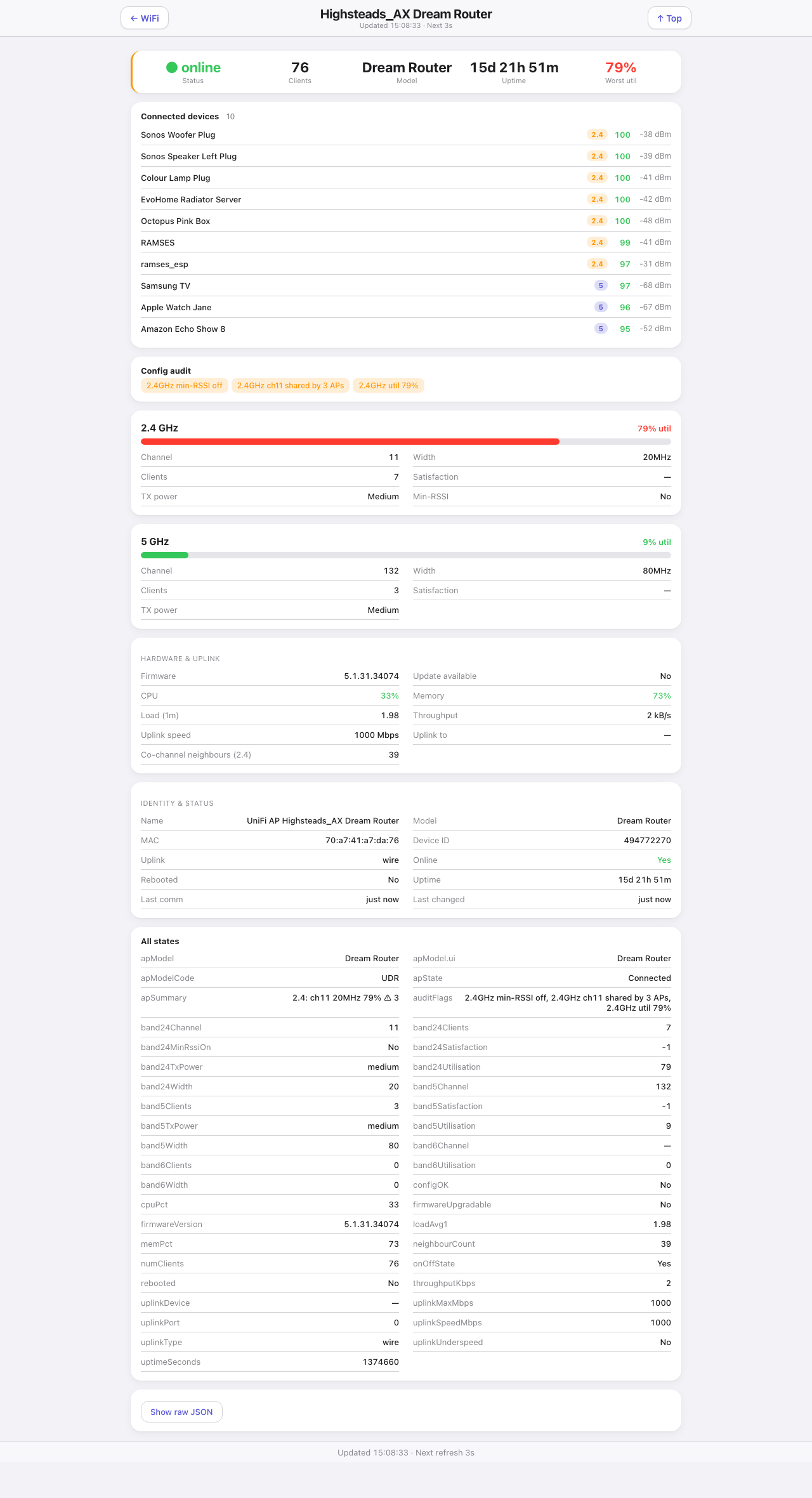
The drill-down from the Wi-Fi page. Which AP it shows comes from the query string, and the id is the Indigo device id of the AP. Reached by tapping the chevron on an AP card.
Down the page
Summary strip. Online status, client count, model, uptime, and worst band utilisation.
Connected devices. Every client on this AP: name, a band badge, satisfaction score and signal. This is the list that answers “why is that plug unhappy” — a client at −67 dBm on 2.4 GHz is on the wrong AP or behind too many walls.
Config audit. The findings for this AP as amber pills, the same ones summarised on the Wi-Fi page.
One card per band. A utilisation bar, then channel, width, client count, satisfaction, transmit power, and whether min-RSSI is enabled. Bands the AP does not have are simply absent.
Hardware & uplink. Firmware version and whether an update is waiting, CPU, memory, load, throughput, uplink speed, what it is uplinked to and on which port, and the co-channel neighbour count.
Identity & status. Name, model, address, Indigo device id, uplink type, online flag, whether it has rebooted, uptime, last communication and last change.
All states. Every state on the underlying Indigo device, raw. The escape hatch for anything the cards above do not show.
Where the data comes from
One Indigo device, published by the UniFiHealth plugin, read through /v2/api.
Refresh
Every second.
What you can do here
Read, and go back to the Wi-Fi page. No controls.
Worth knowing
- “Uplink to” naming the switch and port is the useful bit when an AP goes slow. An underspeed uplink shows here before it shows anywhere else.
- The “All states” card is worth scrolling to when the plugin gains a state the page has not been taught to render yet — nothing goes missing, it lands there instead.
- A UniFi router counts as an access point for this page, which is why it appears alongside the others.