Alerts — alerts.html
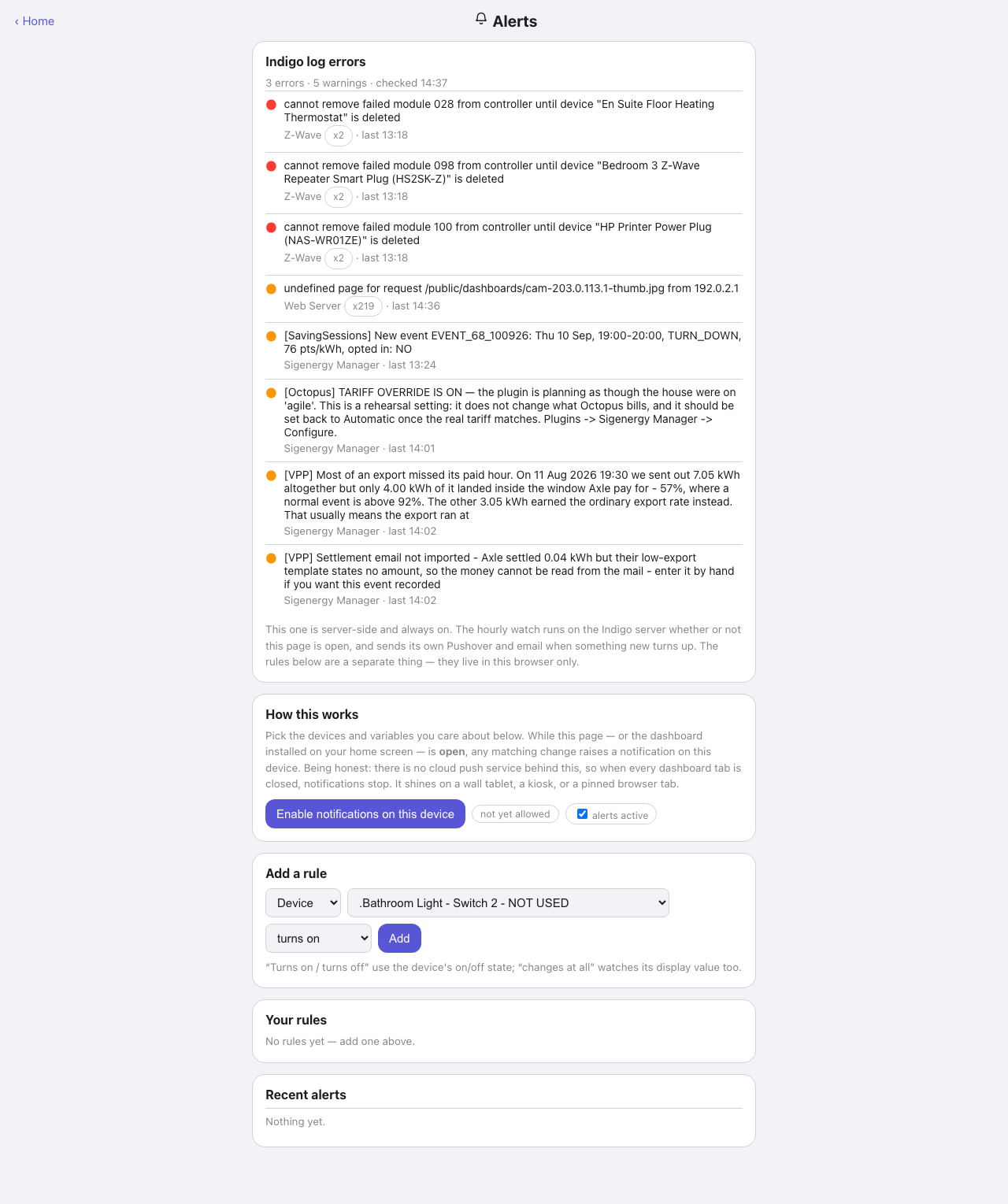
Two different things sit on this page, and the copy keeps them apart: the hourly server-side watch of Indigo’s error log, and the alert rules you choose. Both run on the Indigo server. From 3.47.0 the rules are kept and watched by the plugin, so they fire with no page open and reach you by Pushover or email. Before that they lived in each browser and only fired while a dashboard was open.
Down the page
Indigo log errors. The verdict from the hourly event-log watch, headed with the counts and the time it last ran. Each row is one collapsed signature: a red or amber dot, the message, the source plugin, a repeat-count badge where it has repeated, and when it was last seen. The badges are the useful part — an unreachable plug appearing two hundred times overnight is one fault rather than two hundred. This watch sends its own notifications when something new turns up, the rules further down are a separate thing.
Rules left in this browser. Only on a browser that still holds rules from before 3.47.0, and only while the plugin has none: it says how many there are and offers Move these rules to the plugin. Nothing moves until you press it. Each moved rule is given the default channels (Pushover if it is set up, otherwise email if there is an address, and the browser), and the browser’s copy is removed once the plugin has them. A rule the plugin could not take is counted and left behind.
How this works. What the rules are, said plainly: the plugin watches them on the server and tells you by Pushover, email or both. Ticking Browser on a rule also raises a notification on any device with the hub, a room page, Energy or this page open. Under it, a pill for each channel saying whether it is ready — “Pushover: ready”, “plugin not running”, “no user key”, “Email: ready” or “no address” — and an “alerts active” tick that switches every rule off without deleting it. Then the button to allow browser notifications on this device and its state. On a plain http:// address the state reads “needs an https address” and a line underneath explains why (see Notifications and install need HTTPS). Pushover and email are not affected by that.
Where alerts go. The default email address, used by any rule that names none of its own (blank falls back to DASHBOARDS_ALERT_EMAIL in IndigoSecrets.py, which the page names but never shows). Then Send test: tick the channels and it sends “Test from Dashboards” over each, and lists what happened to every one — sent, or failed and why. The browser line is raised by this page itself.
Add a rule. Pick Device or Variable, choose one from the list, choose the condition — turns on, turns off, or changes at all — tick how you want to be told, optionally give the rule its own email address, and Add. Turns on and turns off use the device’s on/off state, while “changes at all” watches its display value too. A variable rule fires whenever the value changes.
Your rules. Every rule the plugin holds, each with its current value (“now on”, “now 21.5”), its channel ticks, which save as you change them, pause or resume, and delete. A rule whose device or variable has been deleted in Indigo says “deleted in Indigo” and is badged “target gone”, one on a disabled device says so.
Recent alerts. The plugin’s last fifty firings, newest first, each with what its channels did (“pushover sent · email failed (no address) · browser”). The list survives a plugin restart.
Where the data comes from
| Part | Source |
|---|---|
| The log-error verdict | logErrors — the state file the hourly Log_Error_Watch.py companion script writes |
| The device and variable pickers | Indigo /v2/api |
| The rules, channel states and recent alerts | alertRules, edits go to saveAlertRules, the test to sendTestAlert |
| Browser notifications on other pages | dashboards-alerts.js, which asks alertRules for new firings |
The rules are stored in dashboards_config.json (alertRules, alertsActive, alertEmail), and the recent alerts in alert_firings.json beside it. Browser notifications are raised through the service worker, because Android Chrome requires registration.showNotification() rather than a bare Notification.
Refresh
The plugin judges a rule the moment Indigo reports the change, from the old and new copy of the device or variable it hands the plugin, so nothing is polled and an on-then-off inside a few seconds is two alerts rather than none. The rule list and its “now” column refresh every 15 s while this page is on screen. Pages with Browser rules to raise ask for new firings every 5 s (every 30 s while no rule wants the browser), one tab at a time. A firing two tabs both see is raised once. The log-error card refreshes every five minutes.
What you can do here
- Add, pause, resume and delete rules, and choose each rule’s channels and address.
- Set the default email address, and send a test over any channel.
- Turn every rule off with the “alerts active” tick without deleting them.
- Grant browser notification permission for this device.
- Move a browser’s pre-3.47.0 rules into the plugin, once.
Worth knowing
- The rules are the plugin’s, so they are the same on every device, and a new rule added on your phone is watched at once. The Settings page’s save never touches them.
- Each rule has a thirty-second cooldown, so a chattering sensor cannot spam you. Two rules on one device (turns on beside turns off) each keep their own.
- A channel that fails — the Pushover plugin stopped, no address — is logged as a warning at most once every half hour for the same reason, and the other channels still go out.
- Up to 100 rules.
- Plugins → Dashboards → Send Test Alert tests every channel that is set up, from the Indigo Mac.